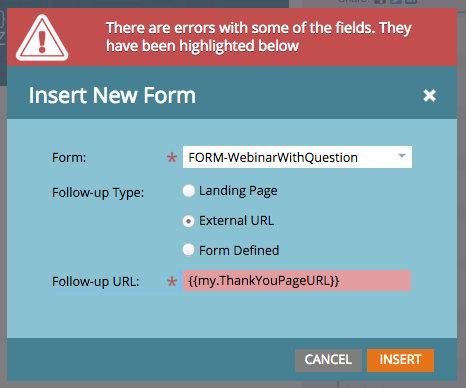
We're aware of this issue and are going to be fixing this very soon. This broke because more stringent validation logic was added to the platform to avoid potential problem scenarios. This is an area that has historically allowed tokens to be used, but it's never been an "officially" supported feature. The reason for this is that there are several potential issues that customers may not have been aware of when using tokens in follow-up URLs. As we work on rolling out support again, we have made some improvements to solve some of the previous issues. That said, there are still some significant consequences that need to be understood (and we will add a note to the UI to indicate this):
- This will break if you are embedding the form on an external page.
- Only program tokens (my.token) will be allowed.
- This will break if you use a program token that isn't a "text" token.
ETA for rollout is ~3 weeks.
Justin








 Adchoices