Hi all,
I'm using the following custom CSS code to split my long list of values (classified as a checkboxes field type) into 3 columns on one of my forms...
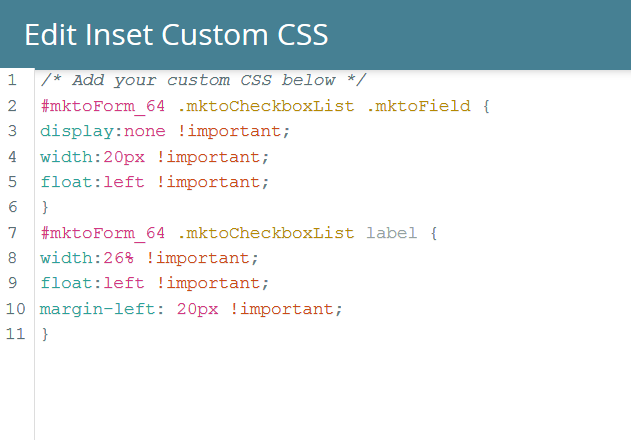
This code works great, but I'm now adding another Field that's under the same field type category (i.e. checkboxes) and this code is also splitting the new list of values into 3 columns, which I don't want (Screenshot below).
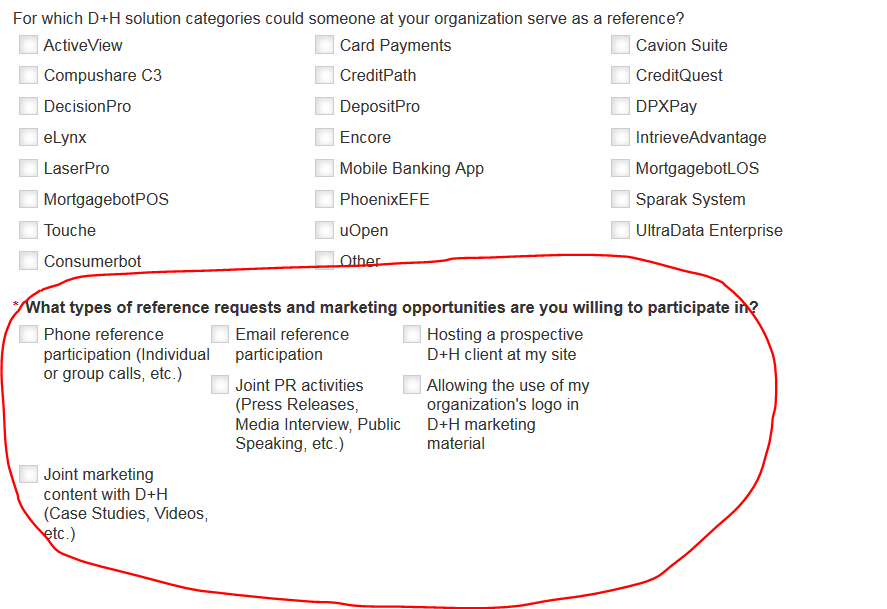
Please post sample code you think might solve or if there is a simpler workaround for this please let me know!
Any help is appreciated! Thanks!
-Tom
Tom Kerlin




 Adchoices