Hi there
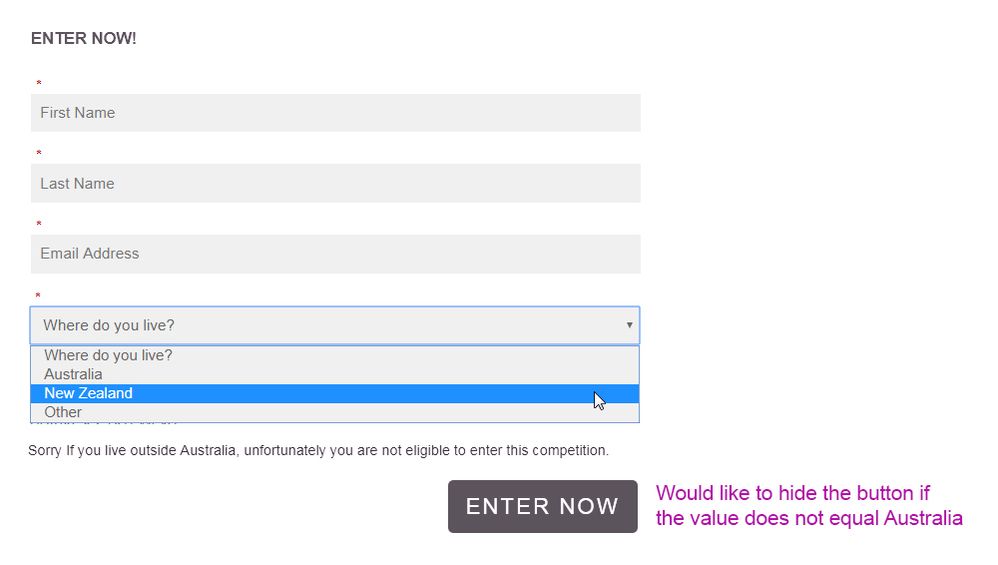
I would like to hide the button "enter now" if field value = New Zealand.
Have read some other posts on the community for example https://nation.marketo.com/message/121474#comment-121474 apologies I'm having problems solving.
I have also visited...
MktoForms2 :: Conditionally Show Submit - JSFiddle
Looking at the CSS where do I enter the name of the field for example "Country and the value in the field, for example "New Zealand"
The aim is when a lead selects the value "New Zealand" the submit or "Enter Now" button should be hidden.
.mktoFormRow[data-wrapper-for="__showSubmit"] .mktoButtonRow,
.mktoFormRow[data-wrapper-for="__showSubmit"] .mktoPlaceholder,
.mktoFormRow[data-wrapper-for="__showSubmit"] .mktoFormCol {
display: none !important;
}
.mktoFormRow[data-wrapper-for="__showSubmit"][data-default-state="false"] .mktoFormCol ~ .mktoButtonRow {
display: inline-block !important;
}
Sorry are you able to assist? Many thanks
Sanford Whiteman 




 Adchoices