


The Forms 2.0 lightbox() method is fully functional, but commonly misused.[1] I’ve had a post in my drafts for ages — “Tips for a smoother lightbox() experience” — but in the meantime lightbox() has become unnecessary because all modern browsers support <dialog>.
IMO, the coolest things about <dialog> are:
- its built-in responsiveness: desktop and mobile browsers automatically position the modal correctly
- its native controls: the Escape key and back-swipe both close the dialog
- its easy styling: transform
::backdropwith any CSS properties
Secondarily, <dialog> minimizes the need for JavaScript. The JS in this post is only necessary because Safari doesn’t support Invoker Commands yet. In Chrome and Firefox, you can close and open the modal using HTML alone, no extra JS!
Here’s a modal Marketo form inside a <dialog>:
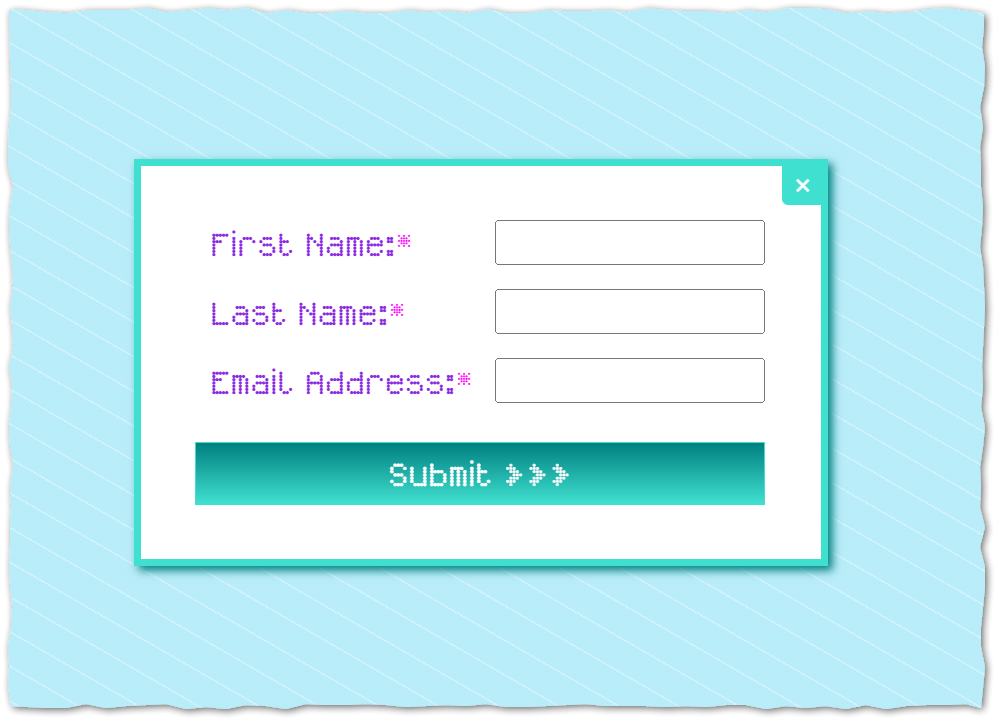
The markup is amazingly simple, just put the standard form embed inside a <dialog> and add a close <button>[2]:
<dialog id="mktoFormDialog_1549">
  <!-- standard form embed -->
  <script src="//app-sj01.marketo.com/js/forms2/js/forms2.min.js"></script>
  <form id="mktoForm_1549"></form>
  <script>MktoForms2.loadForm("//app-sj01.marketo.com", "123-XOR-456", 1549);</script>
  <!-- /standard form embed -->
  <button type="button" commandfor="mktoFormDialog_1549" command="close">✖</button>
</dialog>
Then anywhere else on the page, add a <button> (or multiple <button>s) that open the <dialog>:
<button type="button" commandfor="mktoFormDialog_1549" command="show-modal">Show modal form</button>
All of that works without extra JS in Chrome/Edge/Firefox and their Android versions. Gotta support Safari too, so you need a little bit of JS to make the commandfor and command attributes work by calling corresponding <dialog> methods:
MktoForms2.whenReady(function(readyForm){

  // only required in Safari (a/o 2025-10-26)
  const formEl = readyForm.getFormElem()[0];
  const dialog = formEl.closest("dialog");

  if( dialog && typeof CommandEvent !== "function" ) {
      const invokers = document.querySelectorAll(`button[commandfor="${CSS.escape(dialog.id)}"]`);
      invokers.forEach( (invoker) => {
        switch(invoker.getAttribute("command")){
          case "show-modal":
            invoker.onclick = () => dialog.showModal();
            break;
          case "close":
            invoker.onclick = () => dialog.close();
            break;
        }
      });
  }

});
Note <dialog> on its own is supported on Safari, it’s the JS-less Invoker Commands that aren’t there yet.
Notes
[1] The common mistake is not rendering the form until the modal is opened — in extreme cases, not even loading forms2.min.js until it’s opened! This adds a user-facing delay. You should instead render the form immediately, hiding it using CSS, and show it when the lightbox is open:
.mktoForm {
   visibility: hidden;
   position: absolute;
}
.mktoModal .mktoForm {
   visibility: visible;
   position: static;
}
[2] My only frustration with <dialog> is its lack of an automatically rendered close button. In the screenshot above, the <button command="close"> is positioned using CSS position: absolute; right: 0; top:0;. Easy enough, but would be nice to do something like <dialog closebutton="true"> for a built-in ❎. Not as customizable but might help adoption for those who know zero CSS.
