Just detected a strange behavior linked to the mktoModuleScope variable setting.
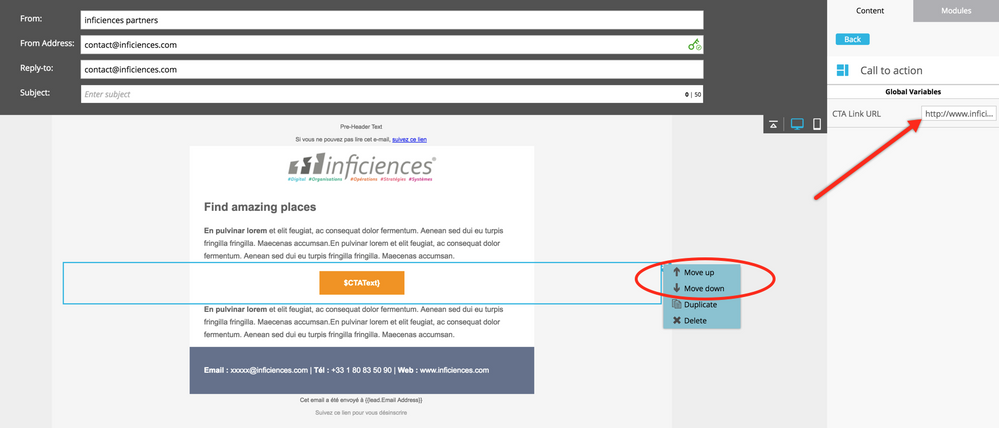
If one sets it to false, the module can be moved up and down in the template, as one can see in the screenshot below, where the variable is global, the "move up" and "move down" menus are available:
But if you set it to "True", the module can no longer be moved up or down, and the 2 menu entries are greyed:
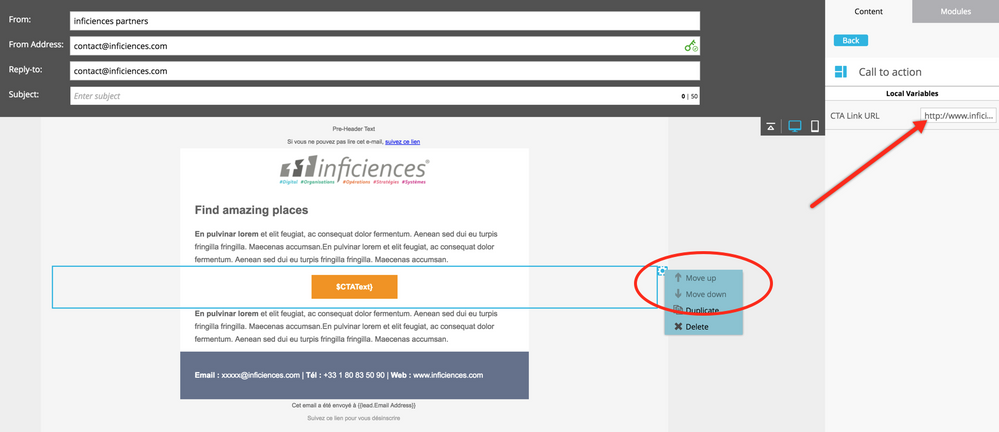
The 2 templates I used are totally identical, excepted for the mktoModuleScope setting.
Justin Cooperman, is this expected (in which case it is not documented) or is it a bug?
-Greg





 Adchoices