Tips for Getting the Most from a Program Performance Report
Customers often ask me for tips for getting the most from their program performance reports. Here is a checklist you can use to help make sure you have everything set-up correctly.
A Program Performance report is great for providing a summary of your programs. The information is pulled real-time from Marketo so it is always up-to-date. Metrics include number of new names acquired by the program and the number of members who achieved success.
Before I get to the checklist, here is refresher of the different filters and metrics available in the report. The following is a webinar example report.

Program Performance Report Filters:
- Channel (e.g. Roadshow, Webinar, Web)
- Tags (e.g. Region, Vertical)
- Period Cost (e.g. Date of incurred costs between x and y)
- Programs (e.g Choose a folder containing a group of programs or a specific program
Metrics per program:
- Number of members
- Number of new names
- Number who reached success
Metrics if you included period costs:
- Cost per member
- Cost per new name
Metrics if you click on show program status columns when you select a specific channel to filter on in your report:
- Number of records in the program per status
Here are some tips for getting the most from a program performance report.
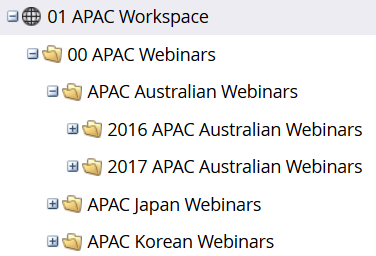
- Establish a good folder structure grouping together first by marketing activities (aka channel) and then by year. It will make it easier to select a group of webinars to analyze within your channel
- Use a good program naming convention that can be easily be sorted or filtered if you export the report to excel
- Create only the channels which are necessary to reduce confusion and accidentally using the incorrect channel
- Create only the program statuses which are necessary
- Make sure the analytics behavior for each channel except Operational is set to inclusive
- Remember to set success for each program
- Add monthly period costs to all programs so you will be able to sort by cost time frame
- Define tags before starting to create programs. Make all tags required.
- Try not to remove members from a program since you won’t be able to reset the program membership date
- And most importantly, think about what you want to report on before you create your program statuses and set-up all the campaigns inside your program





 Adchoices